Follow a purchase from request to payment
One connected flow, so nothing gets lost between teams.
Quotation request
Receive an RFQ and send your quote from the portal.
Purchase order
See the order, its status, history and attachments.
Invoice
Upload a PDF or scan. Details are read for you.
Payment
Follow what is paid and what is still pending.
Less back and forth. More done.
Everything you need to work with your customers on procurement.
Ledger access
Up-to-date financial records you can download anytime.
Purchase orders
Status, history and attachments for every order in one view.
Invoice processing
Upload an invoice and the details are extracted and checked.
RFQ management
Create, send and track requests for quotation from one dashboard.
Transactions
Latest transactions and pending payments at a glance.
Secure onboarding
Role-based access and a controlled sign-up for every vendor.
Upload the invoice. We read it and match it to the order.
Saves time, reduces mistakes and removes manual data entry across your team.
- Reads PDF and scanned invoices
- Picks out invoice number, date, GST, line items and amounts
- Links each invoice to the right purchase order
- Keeps every record ready for audit
- Invoice number
- INV-2041
- Invoice date
- 14 Aug
- GST
- 18%
- Total
- ₹1,24,500
Frequently asked questions
Answers about vendor workflows, invoices and getting started.
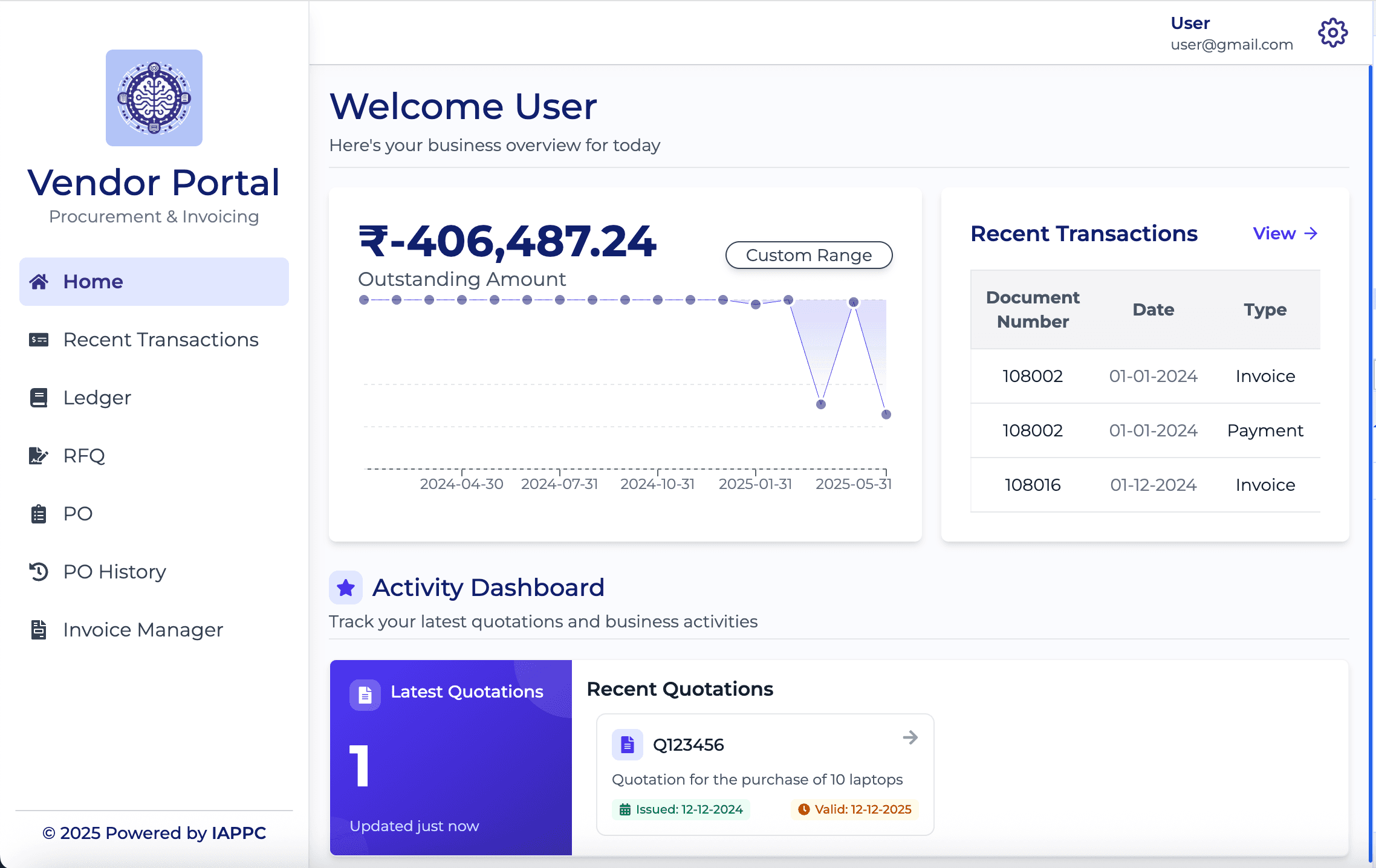
The portal brings key vendor tasks together: review RFQs and purchase orders, check order history and attachments, upload invoices, and keep track of ledger and transaction information.
Ready to bring your vendor work into one place?
Create your account in minutes, or talk to us for a walkthrough.
Get in touch or request access
Want to onboard your vendors or see a walkthrough? Send us a message and we will get back to you.